
 Home
Home
 Apps
Apps



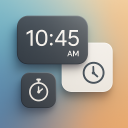
Multi Floating Clock Widget
Create multiple floating clocks, timers & stopwatches on scre...
Contains ads

100+
Total Global Downloads-
Bundle ID
com.smartclock.floatingclock.clockwidget
-
Developer
Insert Line Studios -
Category
Personalization -
Price
Free -
Update Time
Jan 1, 1970 -
0 Ratings
0
-
Bundle ID
com.smartclock.floatingclock.clockwidget -
Developer
Insert Line Studios -
category
Personalization
-
Price
Free -
Update Time
Jan 1, 1970 -
0 Ratings
0
 Screenshots & Media


 App Info
 ***********
 Description
Smart Multi Floating Clock Widget — the ultimate multitasking time management tool!Now you can add multiple floating clocks, timers, and stopwatches right on your phone screen while using any other app. Perfect for productivity, workouts, cooking, studying, or gaming — stay on track without switching screens!
🕒 Floating Clock
Stay organised across time zones with Smart Multi Floating Clock Widget.
Easily add multiple floating clocks with a custom name and description for each. Adjust size, padding, corner radius, and transparency to match your style.
- Choose from 12-hour or 24-hour format
- Display seconds, date, and battery percentage
- Select attractive font styles and colors
- Change background color and opacity
- Set different time zones for each clock
Your floating clocks stay visible on top of all apps, so you can track global time or your schedule while working, chatting, or gaming.
⏲️ Floating Timer
Need multiple timers for cooking, studying, or workouts?
Smart Multi Floating Clock Widget lets you run independent floating timers for any task — all visible simultaneously!
- Create and name each timer for quick identification
- Adjust size, radius, and transparency
- Enable hours, milliseconds, and battery display
- Choose stylish font themes and color combinations
- Set different colors for running and paused timers
- Use it as your floating kitchen timer, sports timer, study timer, or game timer — all without closing other apps!
⏱️ Floating Stopwatch
Track time precisely with the multi floating stopwatch.
Add multiple stopwatches, each with its own name and description.
- Display hours, milliseconds, and battery level
- Adjust design, size, and background color
- Choose custom fonts, colors, and themes
- Run multiple stopwatches together
- Perfect for workouts, speed runs, projects, and study sessions.
- Your stopwatches stay visible anywhere on your screen for real multitasking!
⚙️ Settings & Customization
Make the experience your own with flexible settings:
- Keep screen always ON while timing
- Lock floating position to avoid accidental moves
- Enable sound notifications or vibration alerts
- Select from multiple alert sounds and tones
- Apply unique themes, transparency, and text styles
Customize everything — from size to color — for a clean and functional multitasking experience.
💡 Why Smart Multi Floating Clock Widget?
Unlike ordinary clock or timer apps, Smart Multi Floating Clock Widget works on top of any application, letting you:
- Manage multiple tasks efficiently
- Stay productive while multitasking
- Track time without minimizing apps
- Add attractive, customizable floating widgets
- Create a visually pleasing digital time tracker
Whether you’re cooking, studying, gaming, or working — your floating clocks, timers, and stopwatches are always on screen, ready to help you manage your time smarter.
Smart Multi Floating Clock Widget is your all-in-one solution for:
🕒 Floating Clocks | ⏲️ Floating Timers | ⏱️ Floating Stopwatches
A must-have tool for multitasking, time tracking, and productivity.
Download now and boost your efficiency with Smart Multi Floating Clock Widget — the most customizable, stylish, and powerful floating timer app for You!

 Popular IAP
$14.99 - $29.99 per item
 Version History
Ranking Trend
Last 7 Days
Last 30 Days
 Customize
Last 7 Days
Last 30 Days
Customize
Last 7 Days
Last 30 Days
Customize
Last 7 Days
Last 30 Days
Customize
Download Trend
Last 7 Days
Last 30 Days
Last 90 Days
Customize
More by【Insert Line Studios】
| # | App | App Category | App Price | App Initial Release Date | |
| 1 |
|
Heic Image Converter
Insert Line Studios
|
Business & Office | Free | Aug 21, 2024 |
| 2 |

|
Text Note to PDF Converter
Insert Line Studios
|
Business & Office | Free | Oct 18, 2024 |
| 3 |
|
Xls, Xlsx to PDF Converter
Insert Line Studios
|
Business & Office | Free | Oct 23, 2024 |
| 4 |

|
Listen To Next Door - Spy Ear
Insert Line Studios
|
Tools | Free | Mar 25, 2025 |
| 5 |

|
Bible Verses - Audio Bible
Insert Line Studios
|
Books & Reference | Free | Jun 28, 2025 |
| 6 |
|
Frequency Generator: Sound Hz
Insert Line Studios
|
Music & Audio | Free | Aug 20, 2025 |
| 7 |
|
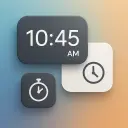
Multi Floating Clock Widget
Insert Line Studios
|
Personalization | Free | Oct 25, 2025 |
| 8 |

|
Signature Stamp to Photo & Doc
Insert Line Studios
|
Personalization | Free | Oct 30, 2025 |
| 9 |

|
Illustrator File Viewer: List
Insert Line Studios
|
Art & Design | Free | Nov 18, 2025 |
| 10 |

|
Secret Diary With Private Lock
Insert Line Studios
|
Lifestyle | Free | Nov 22, 2025 |
| 11 |
|
Always On Big Night Clock
Insert Line Studios
|
Personalization | Free | Dec 22, 2025 |