主页
主页
 应用
应用





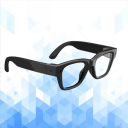
Ray-Ban Meta-Display Guide
Ray-Ban Meta-Display 指南:设置、配对、故障排除和常见问题解答
包含广告

1,000+
全球下载量-
捆绑包ID
com.emperor.raybandisplayguide
-
开发人员
Anonymous Emperor -
应用类型
图书与工具书 -
价格
免费 -
更新时间
1970年01月01日 -
0个评分
0
-
捆绑包ID
com.emperor.raybandisplayguide -
开发人员
Anonymous Emperor -
应用类型
图书与工具书
-
价格
免费 -
更新时间
1970年01月01日 -
0个评分
0
 屏幕截图和多媒体


 应用信息
应用信息
 ***********
 描述
描述
Ray-Ban Meta-Display Guide is a practical reference app for users who want clear help with setup, pairing, features, controls, and troubleshooting. It is designed for people looking for an easy guide to Meta Ray-Ban Display glasses, Meta AI mobile app setup, touch controls, camera and audio features, charging basics, and common fixes.Inside the app, users can explore organized help for the topics people search for most. Official support says Meta Ray-Ban Display glasses work with the Meta AI mobile app and require a supported smartphone, a valid Meta account, and wireless internet for Meta AI features, capture import, and updates. Support also notes Android 10 or later with location services enabled, or iOS 14.4 or later, as the phone requirement.
The guide is especially useful for first-time setup. It explains how to turn the glasses on, place them in the charging case, enter pairing mode, and connect them through the Meta AI mobile app. Official instructions say pairing can start automatically in the case, or manually by holding the case button for at least 5 seconds. The guide also helps users understand that the glasses can pair with only one Meta account at a time, which is an important detail for resale, re-pairing, or shared-device situations.
Ray-Ban Meta-Display Guide also highlights the everyday features many users care about most. Official help lists media capture and sharing, calling and messaging, livestreaming, Bluetooth audio, Spotify and other connected audio apps, Meta AI voice help, and asking Meta AI about what you see. The app explains these features in simpler English so users can better understand daily use without digging through multiple support pages.
Another strong part of the app is controls and navigation guidance. Official support describes a touchpad on the right arm with gestures for waking the glasses, scrolling, selecting, going back, opening menus, adjusting volume, and activating Meta AI. Support also describes pedestrian navigation in beta for select cities, with map viewing on the display and audio directions while walking. The guide turns these controls into a more readable reference for quick everyday use.
Troubleshooting is a major part of Ray-Ban Meta-Display Guide. Many users search for help when the glasses are not pairing, Bluetooth feels unstable, the app does not detect the device, or account switching becomes confusing. Official support explains unpairing steps in the Meta AI mobile app and also notes that users may need to forget the glasses in the phone’s Bluetooth menu to complete the process. This app brings those practical support topics together in one easier reference.
This app is useful for anyone searching for a Ray-Ban Meta-Display guide, Meta Ray-Ban Display manual reference, Meta AI mobile app help, smart glasses pairing support, touchpad control guidance, charging case help, Bluetooth audio tips, calling and messaging basics, and common FAQ answers in one place. The wording is natural and readable so it stays useful and Google Play friendly without misleading claims, spammy repetition, or official-sounding language.
This application is for educational and informational purposes only. It does not connect to the glasses, does not replace the official Meta AI mobile app, and does not provide official device control, account access, firmware tools, warranty service, or customer support. It is intended only to help users better understand setup, features, controls, and common troubleshooting related to Meta Ray-Ban Display glasses.
Disclaimer:
Ray-Ban Meta-Display Guide is not an official application and is not affiliated with, endorsed by, authorized by, or sponsored by Meta, Ray-Ban, or any related brand owner. All product names, trademarks, and brand references are the property of their respective owners. This app was created only as an independent educational guide for reference and learning purposes.

 热门IAP
热门IAP
--
 版本历史
版本历史应用排名趋势
近7天
近30天
 自定义
自定义
近7天
近30天
自定义
近7天
近30天
自定义
近7天
近30天
自定义
下载量趋势
近7天
近30天
近90天
自定义