主页
主页
 应用
应用






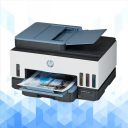
HP Smart Tank 7602 Guide
HP Smart Tank 7602 Guide: setup, Wi-Fi, print, scan, fixes
包含广告

10+
全球下载量-
捆绑包ID
com.emperor.hpsmarttank7602guide
-
开发人员
Anonymous Emperor -
应用类型
图书与工具书 -
价格
免费 -
更新时间
1970年01月01日 -
0个评分
0
-
捆绑包ID
com.emperor.hpsmarttank7602guide -
开发人员
Anonymous Emperor -
应用类型
图书与工具书
-
价格
免费 -
更新时间
1970年01月01日 -
0个评分
0
 屏幕截图和多媒体


 应用信息
应用信息
 ***********
 描述
描述
HP Smart Tank 7602 Guide is a practical reference app for users who want clear help with setup, daily use, features, and troubleshooting. It is designed for people looking for an easy guide to HP Smart Tank 7602 printer setup, wireless connection, HP app or HP Smart app basics, print and scan help, duplex printing, fax features, and common fixes. HP’s official product pages list the Smart Tank 7602 as an all-in-one ink tank printer with print, scan, copy, fax, wireless support, and automatic two-sided printing.Inside the app, users can explore organized help for the features people search for most. The guide focuses on first setup, ink tank filling, printhead installation, paper loading, phone and Wi-Fi connection, mobile printing, scanning basics, fax support, and printer settings. HP’s setup guidance for Smart Tank printers covers key first-time steps such as removing packaging, filling the ink tanks, installing the printheads, loading paper, aligning the printheads, and adding the printer in the HP app.
The guide is especially useful for first-time setup. It helps users understand how to prepare the printer, connect it to a wireless network, and use the HP setup flow more smoothly. HP’s setup page for the 7602 specifically says the HP Smart app helps connect the printer, install drivers, and offer print, scan, fax, file sharing, and management tools. HP also provides official software and driver pages for the Smart Tank 7602, which makes setup and update guidance especially valuable in a guide app.
HP Smart Tank 7602 Guide also highlights the everyday features many users care about most. Official HP product information lists a 35-page automatic document feeder, fax, self-healing Wi-Fi, security basics such as encryption and password protection, and a modern touch interface with smart-guided buttons for print, scan, copy, and fax tasks. HP also lists print speeds up to 15 ppm black and 9 ppm color, making the printer relevant for home, school, and office use.
Another strong part of the app is printing and scanning guidance. HP’s official specification pages list flatbed plus ADF scanning, enhanced scan resolution up to 1200 dpi, and scan input modes that include front panel scan, copy, fax, HP software, and the embedded web server. This guide explains those features in simpler language so users can better understand document scanning, copying, paper handling, and daily productivity tasks without digging through technical pages.
Troubleshooting is a major part of HP Smart Tank 7602 Guide. Many users search for help when the printer is not found during setup, Wi-Fi becomes unstable, the app does not detect the printer, Wi-Fi Direct is confusing, or printing and scanning do not work as expected. HP provides official support pages for setup, Wi-Fi Direct, software, manuals, and troubleshooting for the Smart Tank 7602, and this app brings those practical support topics together in one easier reference.
This app is useful for anyone searching for an HP Smart Tank 7602 guide, HP Smart Tank 7602 manual reference, printer setup help, HP app support, HP Smart app help, wireless printer pairing, scan and copy basics, fax guidance, duplex printing tips, Wi-Fi Direct help, and common FAQ answers in one place.
This application is for educational and informational purposes only. It does not connect to the printer directly, does not replace the official HP app or any official HP service, and does not provide official device control, firmware tools, account access, warranty service, or technical support.
Disclaimer:
HP Smart Tank 7602 Guide is not an official application and is not affiliated with, endorsed by, authorized by, or sponsored by HP or any related brand owner. All product names, trademarks, and brand references are the property of their respective owners. This app was created only as an independent educational guide for reference and learning purposes.

 热门IAP
热门IAP
--
 版本历史
版本历史应用排名趋势
近7天
近30天
 自定义
自定义
近7天
近30天
自定义
近7天
近30天
自定义
近7天
近30天
自定义
下载量趋势
近7天
近30天
近90天
自定义